Showing posts with label Design. Show all posts

Thursday, August 16, 2007

StriveMind

StriveMind.com “Pushing the boundaries of new media and design”

Today marks the kick-off of StriveMind, my self-run media and design business. And with radio ads beginning, I hope the contracts start pouring in.

Since leaving college, I've mostly run my business through word-of-mouth. Recommendations and inquiries about my work have been enough. But now, I'm approaching the industry in a more unified and professional manner. I'm a multimedia designer, and I might as well act look like one!

Tuesday, January 23, 2007

Church Site Check-list

With the Internet Evangelism Day coming up on April 29th, 2007, Sequoia has decided to completely redo their website. So we've put together a small but promising team to look after it.

So why redo the entire site design and content? Try taking the site design check-list, and see where you stand. In a day and age where everybody looks up your website before dealing with anybody, it would be in your church's best interest to score over 250 out of 377 on that test.

Thursday, November 09, 2006

Includes

Many of you web developers/designers are probably familiar with Includes. It's a process of literally including one file into another on your website.

For example, you could use the process to include a menu into your page. That way, you can have the same menu across many pages... and if you want to change the menu, you will only have to fix it once.

I know, this is pretty basic stuff. But bear with me for a moment here. So, Includes generally require some sort of server scripting... whether it be PHP, ASP, or similar, to perform the operation without the user knowing this is happening.

But what if you're running off of an older server, that doesn't have any of these functions? I recently ran into that problem with a contract I'm working on.

That's where those wonderful people at Dynamic Drive come in. They run a great site with all sorts of useful web scripts. Many of which you can implement with some simple cut-and-paste.

And now we bring AJAX into the picture. Or Asynchronous JavaScript and XML. And specifically, DD's technique that requires no server-scripting whatsoever.

Thursday, October 19, 2006

8 Great Church Sites

Here's some excellently designed church websites that I've came across over the last little while. All feature brilliant designs, intuitive communication and interactivity, and good content. Here they are, in no particular order.

Take a look:


Wednesday, October 11, 2006

10 Reasons You Shouldn't Go to Film School

DV Guru just posted a great article on why you shouldn't go to film school. And really, this probably applies to just about any arts-related program out there.

  1. Your favorite filmmaker didn't go to film school.
  2. Digital Video.
  3. Film school is expensive.
  4. The Internet.
There's the first 4. Now go read all 10 at DV Guru.

Wednesday, September 06, 2006

Color It

There's quite an interesting selection of color (colour for you Canadians) pickers on the net out there, so I thought I'd list a few of my favorites.

  • ColorZilla Firefox extension to allow you to sample colors from the internet.
  • ColorCombos lists of color combinations.
  • ColorJack Studio random colors and blending.
  • ColorBlender lets you pick directly matching colors, and even suggests Pantone equivalents.
  • ColorScheme helps you pick an assortment color matches, and screen them for visually impaired.
  • Color Shades is a huge list of colors, their hex codes, and their proper names.
  • "24" is just fun for picking colors
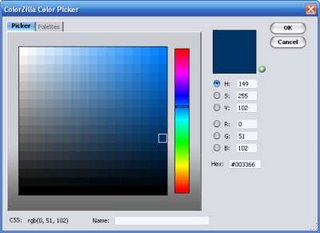
Color PickerUse these helpful tools to pick color schemes for your print, video, and web material. A good color scheme does wonders to attract viewers, and lead their eyes to your message.

Finally, here's a neat book I use for ideas and to look up global colors.

Friday, September 01, 2006

Finite Flickr

I've finally gotten around to getting an account at Flickr. After all, it's the biggest and most successful photo-sharing community around.

It's fast, it's easy, and it has all sorts of tools... like being able to upload directly from your computer or cellphone... or putting a script on your website to display your Flickr photos.

My only complaint, is that they limit free accounts to only 3 photo albums! My photo organizer on my computer has dozens of albums, so how am I supposed to narrow that down to 3? I've more or less decided on Things I See, Things I Love, and Things I Make.

Luckily, Flickr's pro account is only $25 a year, and upgrades this to allow many more features.

Thursday, August 24, 2006

3 of Me

Here's an interesting photography project... put multiples of yourself into the same photo! Freak out your friends and family, and have a little fun at the same time.

What you need:

  • Tripod
  • Camera
  • Graphic editing software, like Photoshop or the cheaper and almost-as-powerful Photoshop Elements. Use it to stick together your photos, and fix any overlaps.
  • You... And any props or costume changes you'll be using.
You literally set up your tripod and camera, turn on the timer (or get a friend to help), and take a few photos of you in various positions.

Some tips you should keep in mind:
  • Don't move the tripod. Even the slightest movement can throw your off your images.
  • Fix the settings on your camera. Set it to Manual. If you're camera is on automatic, it might read different settings for each picture, which will give your photos different exposures.
  • When editing, be careful of the overlaps.
  • Be wary of the distance between your moving objects, and any shadows or interferences, and reflections.
  • Edit any objects that might have accidentally moved between pictures. (such as the Xbox controller cables in my photo that I had to correct)
So have fun, and put a link in my comments to any cool and crazy stuff you come up with.

Wednesday, August 23, 2006

Blogger (back in) Beta

Well it looks like my efforts to categorize my blogging has been rendered useless... but for a good reason:
Blogger is back in Beta.
Or rather, the new version is. And in a few days or weeks, we'll have plenty of new features to play around with.

Here are the more exciting features that are coming out in the new version:

  • Labels. Categorize your posts with labels. This basically makes my own list useless... which is just fine with me, cause it's annoying to update manually!
  • Reader Permissions. Just like it sounds, you can control who reads your blog. Perfect for private business blogs, or trading romantic posts with your girlfriend ;)
  • Template Editor. Finally, a real wysiwyg editor to make changes to your template! Lately, I've just been dropping my template into Dreamweaver to make changes, but this is easier and more accessible to the average user.
You can go and sign up for the new Blogger Beta, but will have to wait a little bit longer to convert your existing blog over to the new system... come on Blogger! Let's get the show on the road.

- My template in Dreamweaver -

Friday, July 21, 2006

I Love to Batch

Ahhh, batch processing... the wonders of making your computer do the boring repetitive work, so you don't have to!

Right now, I have a video for church batch rendering into DV, DVD mpeg, DivX, and Quicktime.

Ohhh, but it applies to so much more. I can record what's called an Action in my audio editing software, and set it to do as many functions as I want, to as many files as I want. Like normalize, filter, and save them all to mp3.

Or in Photoshop, I can record all sorts of crazy things to make my job a lot easier. For example, you can tell it to Open a picture, Desaturate, Save, and Close. Batch, wait a moment, and it's done. It just turned all of your photos black and white without you having to do the work. (How to)

Just wind it up, and off it goes!

Tuesday, May 30, 2006

To Stock Or Not to Stock

The guys over at Church Marketing Sucks have an excellent post on the usage of stock photography. And they have an excellent point. What with the same stock photos turning up on totally different products, and the much overused stock cliches.

Yes, I'm guilty of using the occasional stock shot from stock.xchng or Flickr, but most of my design work makes use of my own photography, or pics taken by people in the same company or organization. Really, I would much rather not use any stock if I didn't have to. Using original photographs and media ensures that your work will not be misrepresented by another group. For example, if your church purchased a stock photo, and used it an a large marketing campaign, it would be relatively easy for a malicious group to get the same photo, and use it to take advantage of or estrange your hard-earned market.

However, the quality of your work is another consideration. If you are not a good photographer, or do not have access to one, then maybe your only choice is to seek suitable material from a stock gallery. The message and quality of your work always come first.

To stock or not to stock? That is up to you.

Thursday, February 23, 2006

Image Banner

Here's an interesting ideas to help eyes stick to your church site.

Use flickr to make a website badge. Load some photos from your church events onto flickr, or if you're handy with server programming, write your own script to randomly display a series of images. It will keep things interesting, and always changing.

I tried something similar to that on the Celebration! Church page. Just below the main menu, there's a button that, when clicked, will randomly open up an image from within the massive photo gallery hosted on the site. There's lots of potential for something like this on church websites, so check it out.

Also, take a look at some other ways you can use the free flickr service.

Friday, December 02, 2005

Christmas Light Rock

Looks like an eccentric guy down south has been spending huge numbers of hours each year putting together displays of synchronized christmas lights timed to music.

Carson Williams has 16,000 lights on his house, linked back to a computer and animated to music. Anyone outside of his house can tune in to a short-ranged FM radio transmitter set up to hear the songs as they're played. Check out this awesome video of his house performing Wizards of Winter from the Trans-Siberian Orchestra.

And if you're really daring, you can even build your own light display.

Another potentially great Christian reach out, if handled properly. Thnk about it... wild and crazy lights going on and off, and cars lining up for miles to see the show, and tune in to your selected christian music. (perhaps David Crowder, DC Talk, or Newsboys?)

Tuesday, November 29, 2005

Photoshop Tennis

It's a pretty simple idea, really: One player emails a Photoshop document to the other containing a single layer. Each player progressively adds a layer until the match is over, either by time, withdrawal, or mutual consent. A guest adds comments in real time and the people watching vote for a winner. - Read at G4

Started by Croudal Partners, this deceptively simple concept sounds like a sport I would definately be interested in! It's taking the design community by storm, and is a fantastic way to promote creativity, collaboration, competition, and plain old fun.

Begin with a randomly chosen image or set of images, and start the game. The artists take turns manipulating the previous layers, and adding one new layer to the mix. The only rules, are that you can only add one layer, and you can't completely cover the previous layers (so you have to use elements from the previous rounds).

Anyone have any ideas on how to use this as a ministry/evangelism/discipleship tool?

I'd love to give this a try if I can find anyone as crazy as me.

Coudal Partners - started Photoshop Tennis
LayerMatch - great examples of battles
G4 - video minidoc